Lesson · Grade 6 · Applied Design, Skills and Technologies
Strong Passwords and Passphrases
- Grade 6
- Applied Design, Skills and Technologies
- 1 min 14 s
- British Columbia
- BC6-AD-11
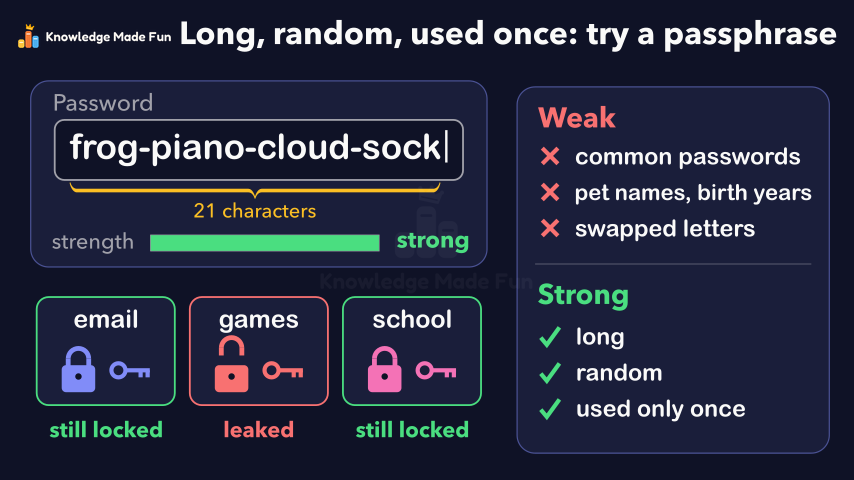
A password box and a guessing program show why common passwords, pet names with birth years, and swaps like @ for a are guessed quickly, and a table shows that each extra lowercase letter means 26 times as many passwords to try. Four random words then join into a 21-character passphrase that is strong and easy to remember, and three accounts with their own keys show why each password should be used only once.
Anyone can watch two lessons on the website without an account. Signing in is free, no payment and no card, and opens three a day; Plus has no limit.
Loading
In one sentence
The question this lesson answers
What makes a password strong enough to keep your account safe?
Attackers use programs that can try a huge number of guesses very fast.
Transcript
What the lesson says
What makes a password strong enough to keep your account safe?
Attackers use programs that can try a huge number of guesses very fast.
They try the most common passwords first, like password one two three.
Pet names and birth years are easy for other people to find out.
Guessing programs also know swaps, like an at sign for a and a zero for o.
Length helps a lot: each extra lowercase letter means 26 times as many passwords to try.
A passphrase joins a few random words into one long password.
This one has 21 characters, yet it is easy to remember.
Pick the words at random, not a well-known phrase.
Use a different password for each account.
Then one leaked password cannot open your other accounts.
A strong password is long, random and used only once, so try a passphrase.
Curriculum
Where this fits
- British Columbia, Grade 6
Applied Design, Skills and Technologies, Digital literacy: Internet safetyBC6-AD-11
- British Columbia, Grade 7
Applied Design, Skills and Technologies, Digital literacy: Internet safetyBC7-AD-10
This lesson is also listed in Grade 7.
The outcomes and strands follow the British Columbia curriculum.
Keep going
 1 min 11 s
Can You Trust This Website? Five Checks
Grade 6 · 1 min 11 s 1 min 3 s
Copyright and Giving Credit
Grade 6 · 1 min 3 s 1 min 14 s
How a Search Engine Finds and Ranks Results
Grade 6 · 1 min 14 s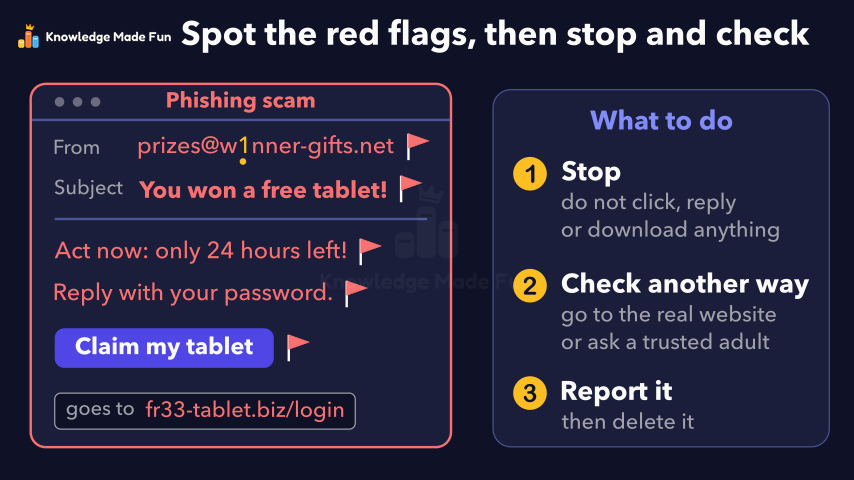 1 min 13 s
Spotting Online Scams and Phishing
Grade 6 · 1 min 13 s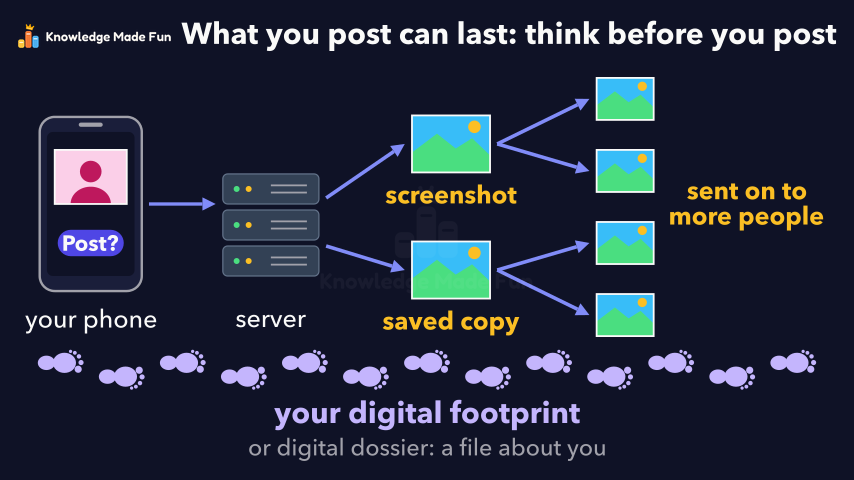 1 min 2 s
Your Digital Footprint: What You Post Can Last
Grade 6 · 1 min 2 s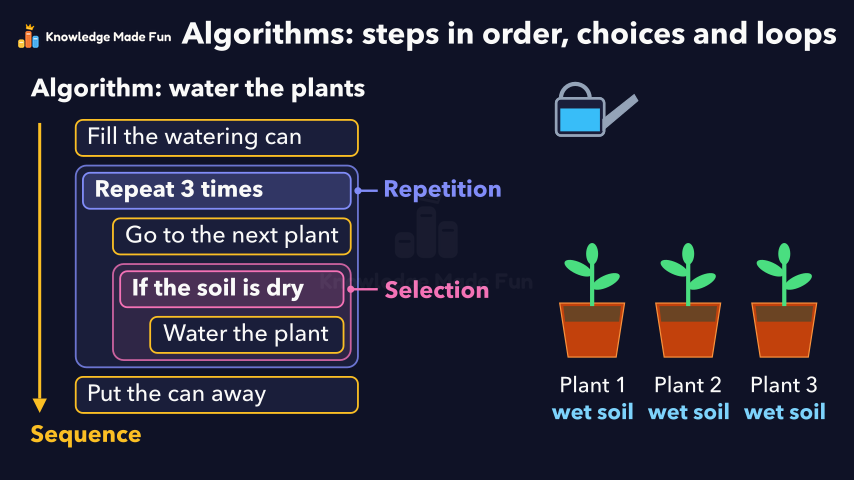 1 min 19 s
Algorithms: Steps in Order, Choices and Loops
Grade 6 · 1 min 19 s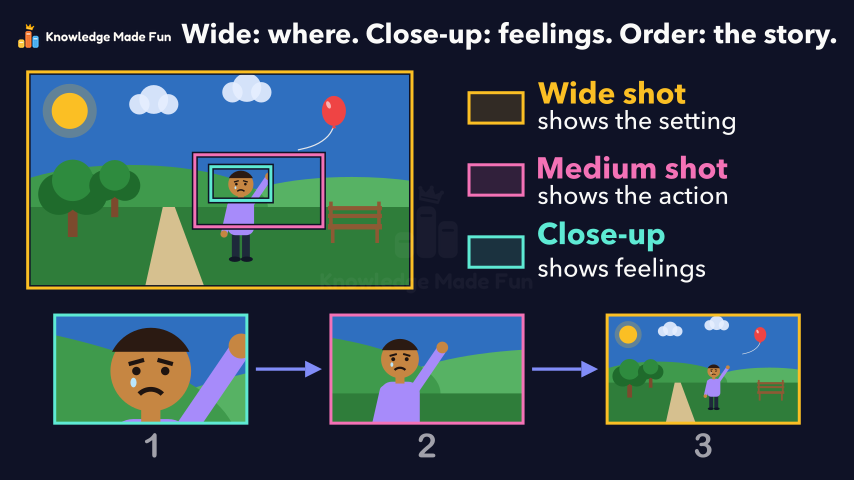 1 min 7 s
Camera Shots: How Close-Ups and Wide Shots Tell a Story
Grade 6 · 1 min 7 s 1 min 10 s
Energy Is Never Used Up
Grade 6 · 1 min 10 s
- All Grade 6 Applied Design, Skills and Technologies lessons
- Create a free account to watch three lessons a day, no payment and no card.