Lesson · Grade 6 · Applied Design, Skills and Technologies
Flow Charts: Drawing the Steps of a Plan
- Grade 6
- Applied Design, Skills and Technologies
- 1 min 9 s
- British Columbia
- BC6-AD-04
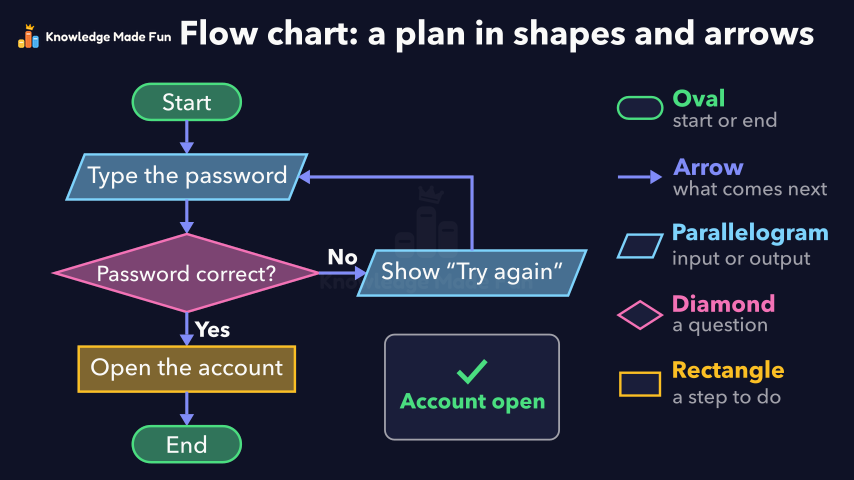
A flow chart for logging in with a password is built one shape at a time, with a key naming what each shape means: an oval for the start or end, arrows for what comes next, a parallelogram for an input or output, a diamond for a question and a rectangle for a step to do. The chart is then followed beside a small login screen, first with a wrong password that loops back to "Try again" and then with the right one that opens the account and reaches the end.
Anyone can watch two lessons on the website without an account. Signing in is free, no payment and no card, and opens three a day; Plus has no limit.
Loading
In one sentence
The question this lesson answers
How can we draw a plan for logging in with a password?
We can draw it as a flow chart, made of shapes joined by arrows.
Transcript
What the lesson says
How can we draw a plan for logging in with a password?
We can draw it as a flow chart, made of shapes joined by arrows.
An oval shows where the plan starts or ends.
Arrows show what comes next.
A parallelogram shows an input or output, like typing the password.
A diamond asks a question: is the password correct?
Each answer gets its own arrow, one for yes and one for no.
If yes, a rectangle shows a step to do: open the account.
Then the plan ends at another oval.
If no, the output is a message saying “Try again”.
Then an arrow leads back, so the password can be typed again.
With a wrong password, the answer is no, so we go back.
With the right password, the answer is yes, so the account opens.
A flow chart draws a plan as shapes joined by arrows.
Curriculum
Where this fits
- British Columbia, Grade 6
Applied Design, Skills and Technologies, Computational thinking: visual representations of problems and dataBC6-AD-04
Previous: Sorting and Searching: Selection Sort and Binary SearchNext: From Punch Cards to Code
- British Columbia, Grade 7
Applied Design, Skills and Technologies, Computational thinking: visual representations of problems and dataBC7-AD-03
This lesson is also listed in Grade 7.
The outcomes and strands follow the British Columbia curriculum.
Keep going
 1 min 19 s
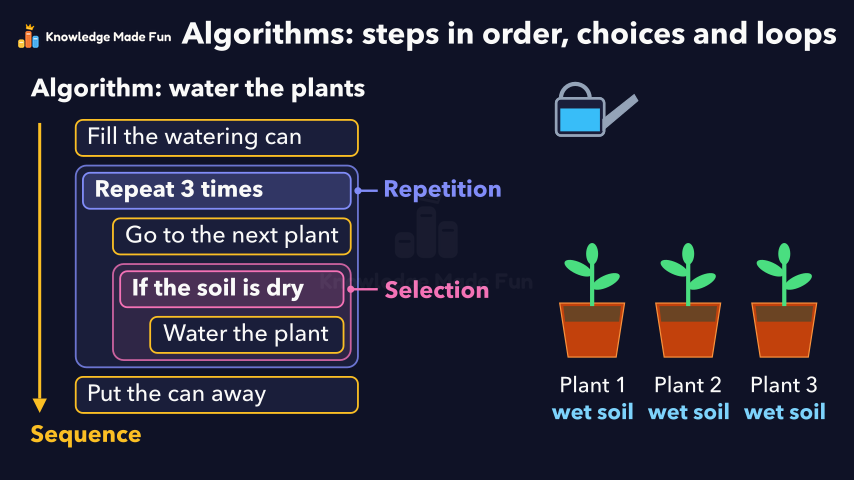
Algorithms: Steps in Order, Choices and Loops
Grade 6 · 1 min 19 s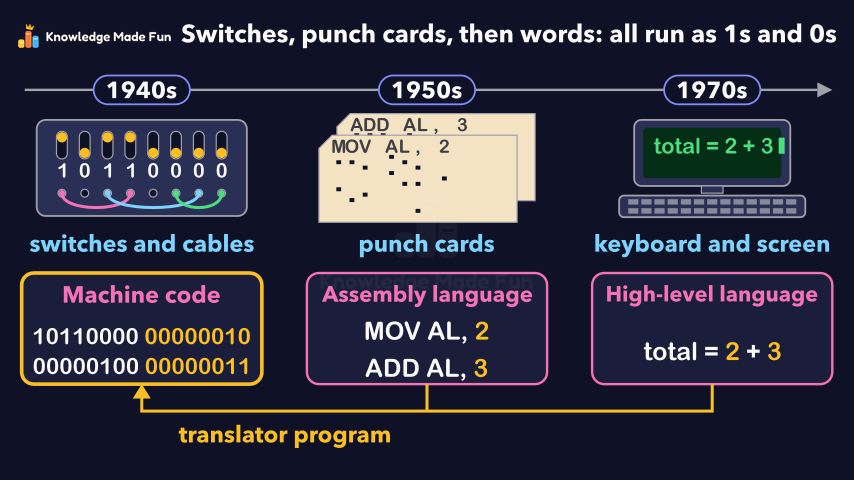 1 min 15 s
From Punch Cards to Code
Grade 6 · 1 min 15 s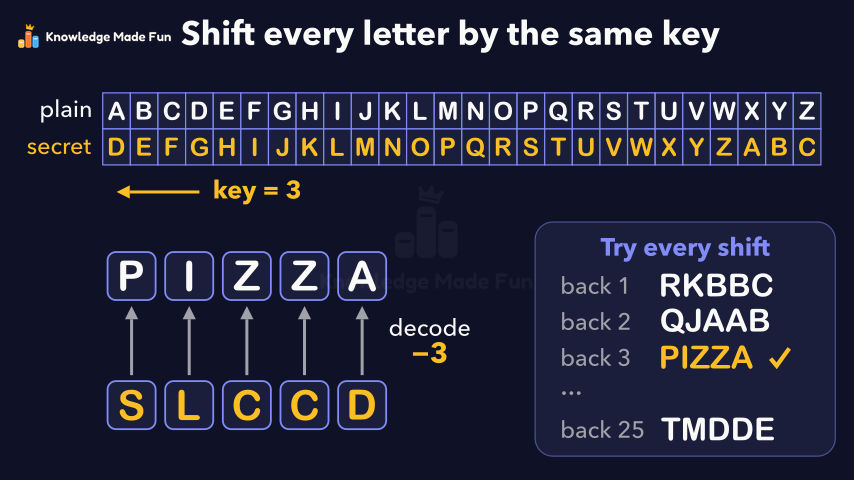 1 min 29 s
Secret codes: the Caesar shift cipher
Grade 6 · 1 min 29 s 1 min 24 s
Sorting and Searching: Selection Sort and Binary Search
Grade 6 · 1 min 24 s 1 min 7 s
Camera Shots: How Close-Ups and Wide Shots Tell a Story
Grade 6 · 1 min 7 s 1 min 11 s
Can You Trust This Website? Five Checks
Grade 6 · 1 min 11 s 1 min 3 s
Copyright and Giving Credit
Grade 6 · 1 min 3 s 1 min 10 s
Energy Is Never Used Up
Grade 6 · 1 min 10 s
- All Grade 6 Applied Design, Skills and Technologies lessons
- Create a free account to watch three lessons a day, no payment and no card.